Your phone picks. Your TV plays.

Send web video, photos and music from your Android phone to your TV. No ads. No account.

Get CastWay
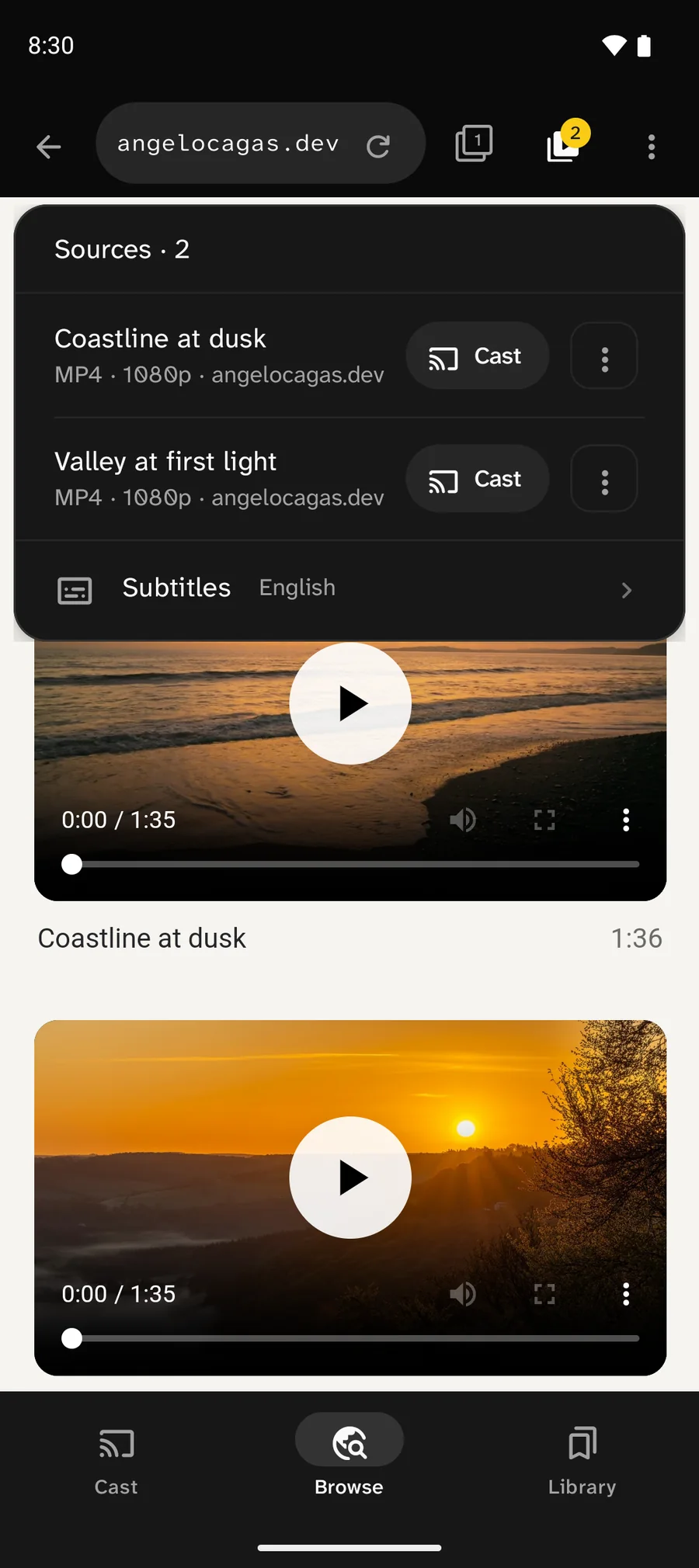
CastWay Browse on the angelocagas.dev page Coastline at dusk. The Sources panel lists two videos, Coastline at dusk and Valley at first light, each MP4 1080p with a Cast button, and English subtitles.

Tap Cast to try it

Coastline at dusk · Playing on your TV

Found something to watch on your phone? One tap puts it on your TV.

From page to TV

  1. Pick your TV

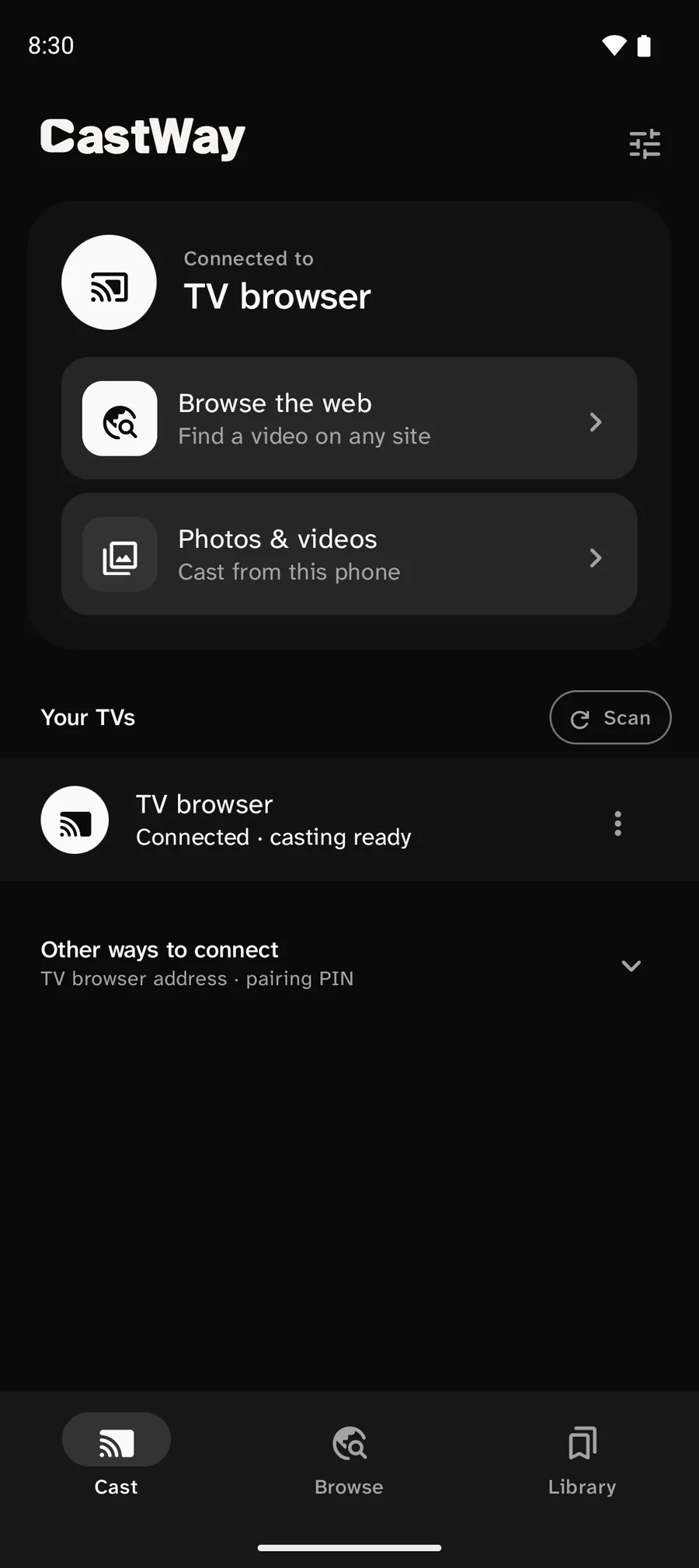
    Nearby TVs show up in one list. Tap one to connect.

    CastWay Cast tab, connected to TV browser. Your TVs lists one TV: TV browser, connected, casting ready.
  2. Open a site

    Browse as usual. CastWay lists the videos it finds on the page.

    CastWay Browse on the angelocagas.dev page Coastline at dusk. The Sources panel lists two videos, Coastline at dusk and Valley at first light, each MP4 1080p with a Cast button, and English subtitles.
  3. Tap Cast

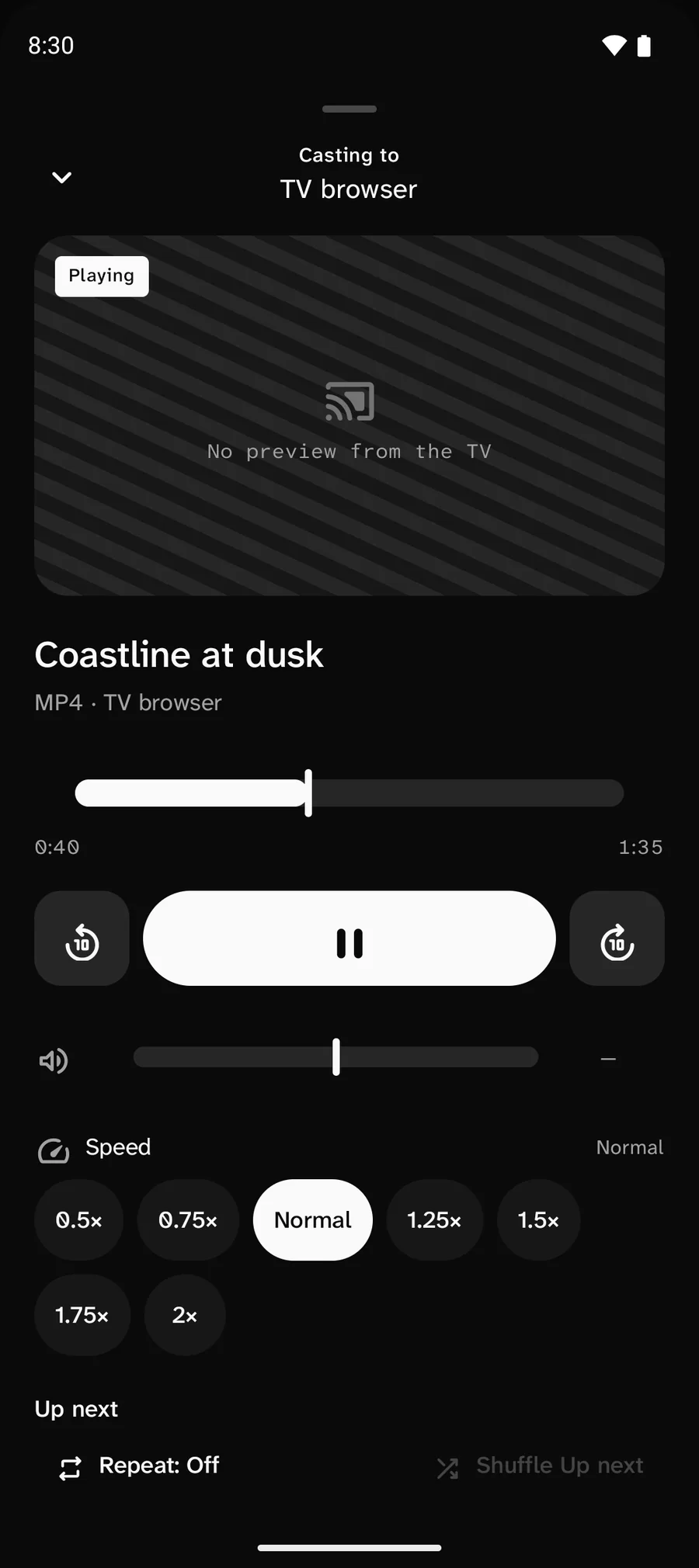
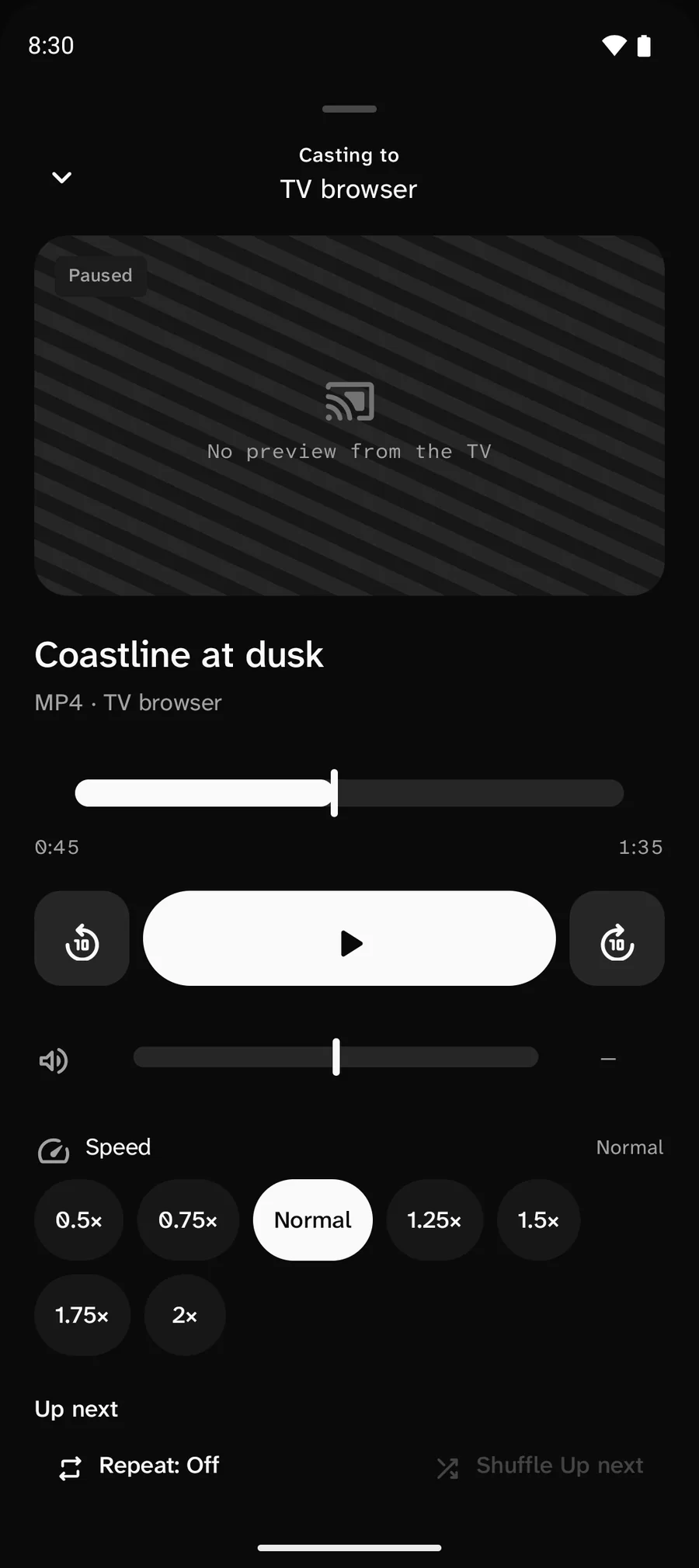
    The TV starts playing. Your phone turns into the remote.

    CastWay playback sheet, casting to TV browser. Playing: Coastline at dusk, MP4, 0:40 of 1:35, with back 10 seconds, pause and forward 10 seconds buttons.

Phone and TV on the same Wi-Fi. Site support varies.

CastWay Cast tab, connected to TV browser. Your TVs lists one TV: TV browser, connected, casting ready.

No TV app? No problem.

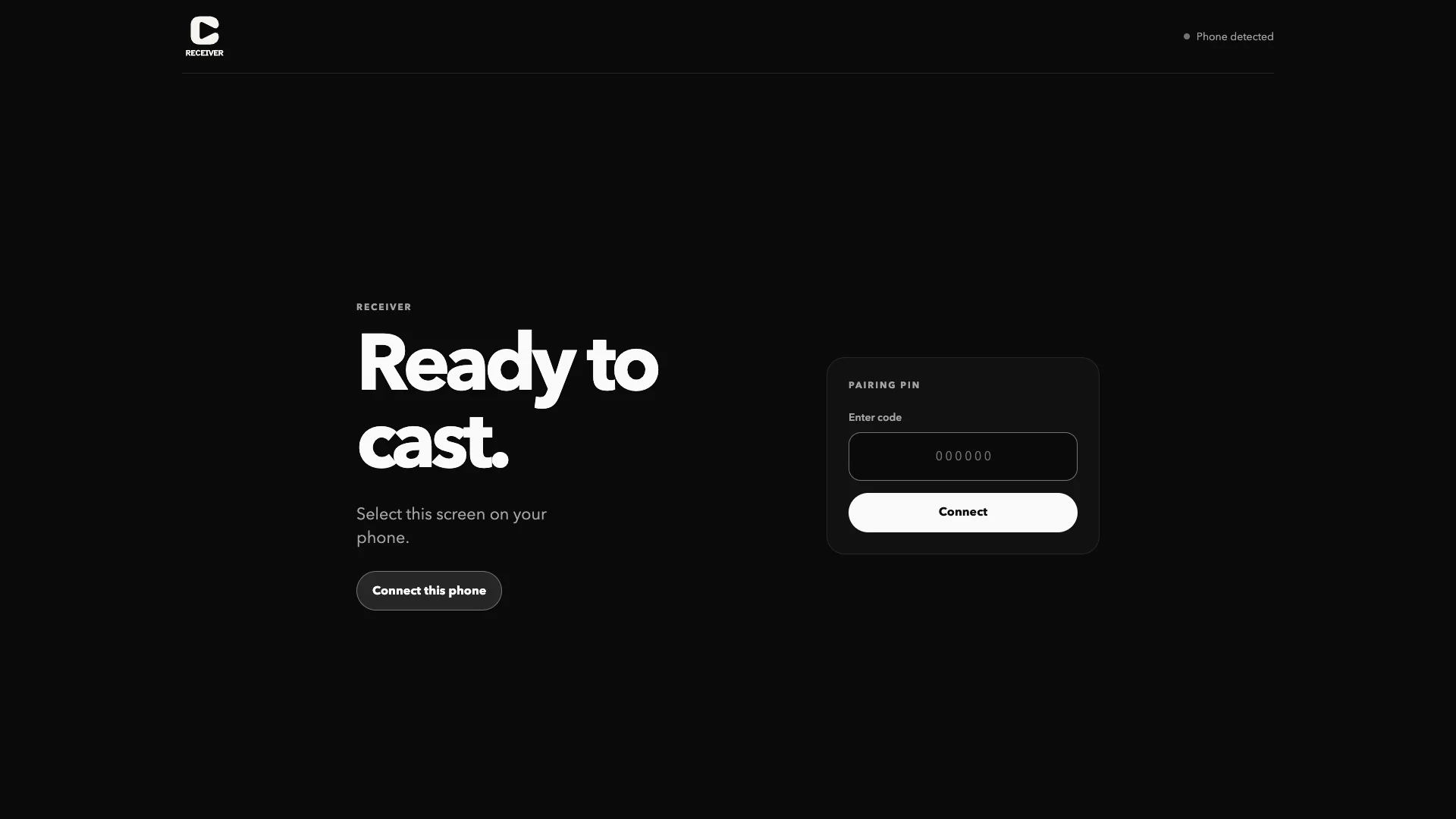
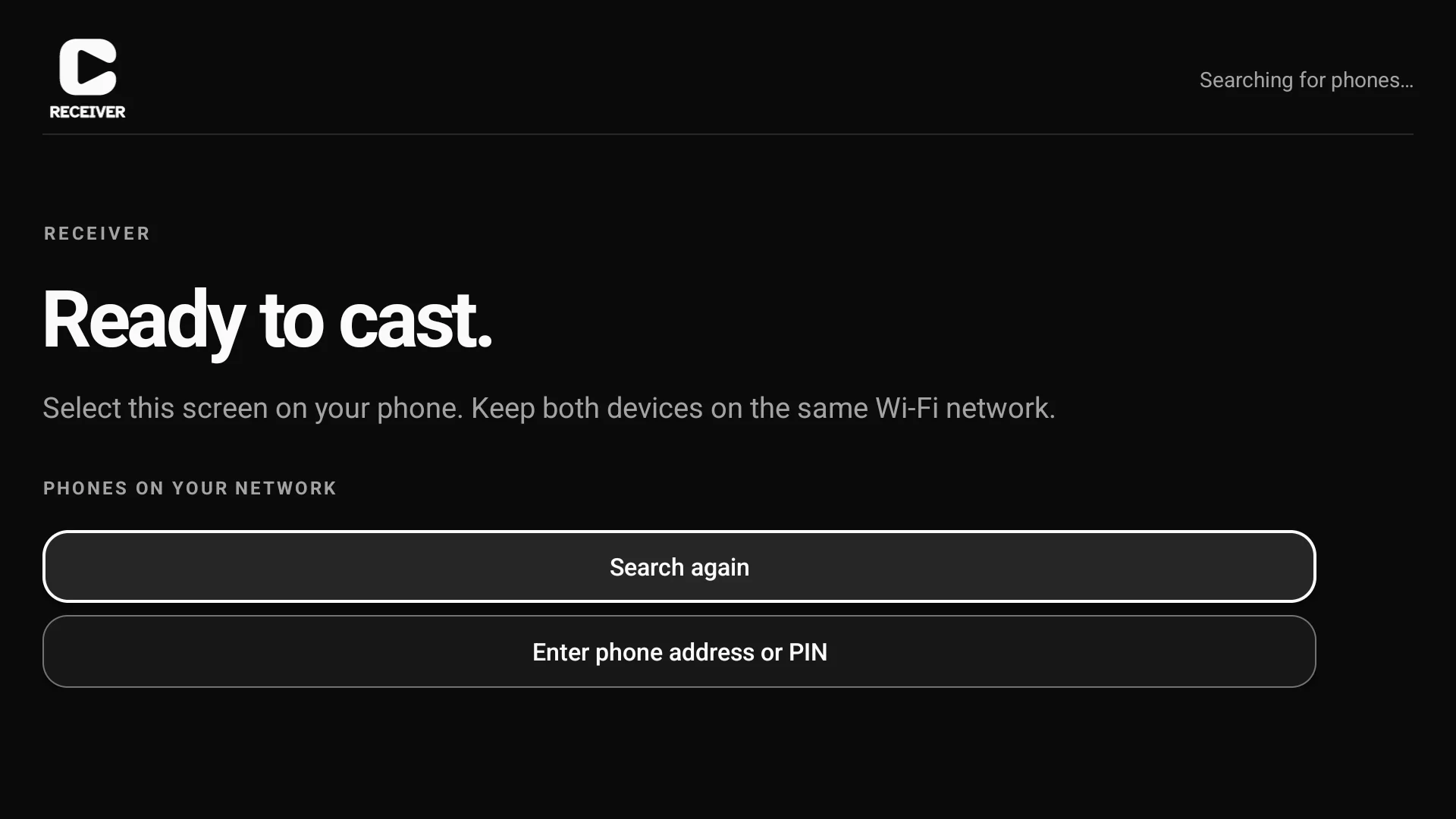
Any TV with a modern web browser can play what you cast. Open the short address CastWay shows, then tap to connect. On Android TV, the CastWay TV app finds your phone by itself.

The CastWay receiver open in a TV web browser: Ready to cast. Select this screen on your phone. A Connect this phone button and an empty pairing PIN field.

Needs a modern TV browser, or Android TV 8 or later.

Your phone is the remote

Play, pause and skip from the couch. Lock your phone or switch apps, and the TV keeps playing.

A fluffy white Persian cat playing on a bed.
CastWay playback sheet, casting to TV browser. Playing: White Persian cat, MP4, with back 5 seconds, pause and forward 5 seconds controls and a live playback position.

Try the controls

Keep your phone on and on the same Wi-Fi while you cast.

Everything’s included

No ads. No account. Completely free.

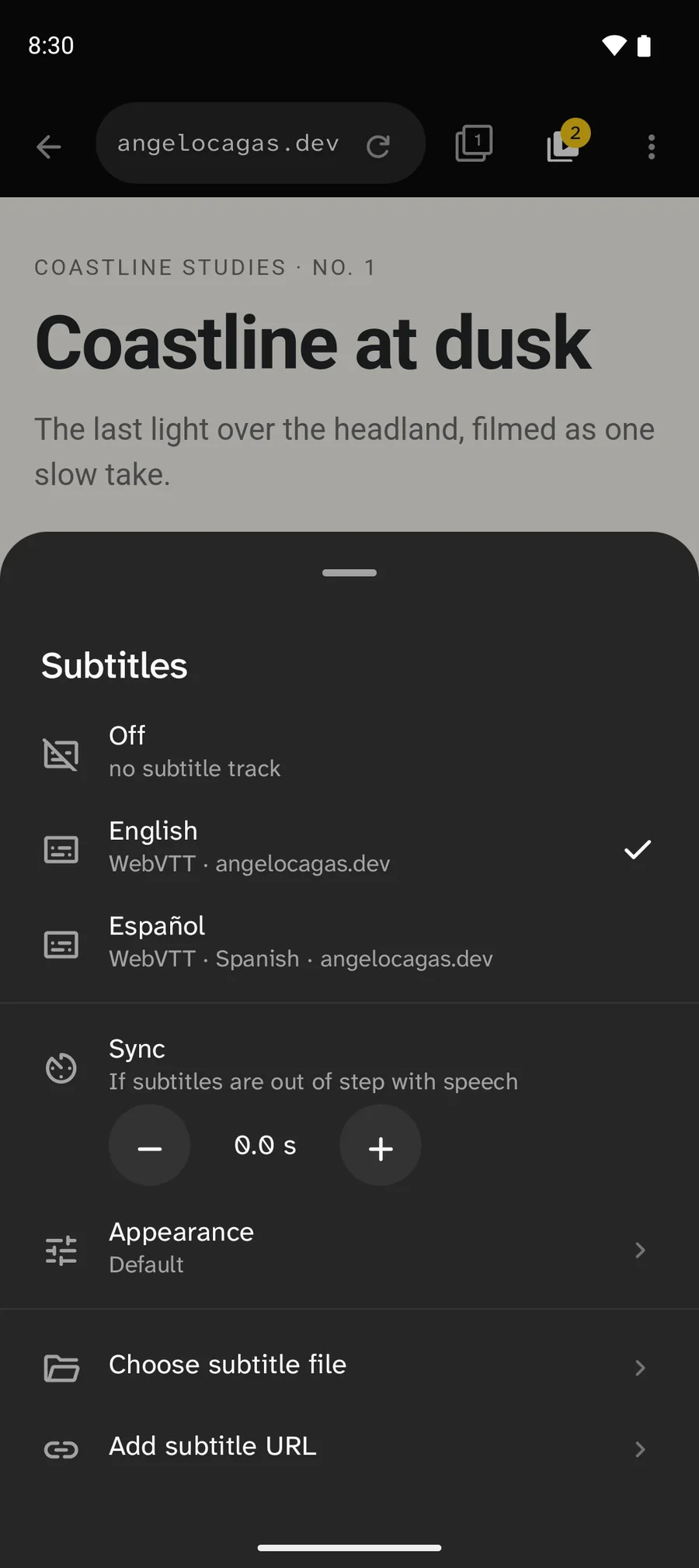
CastWay Subtitles sheet: Off, English selected, Español, Sync 0.0 s, Appearance, Choose subtitle file and Add subtitle URL.

Subtitles

Pick a track or add your own file. Size, colour and timing on TV browsers.

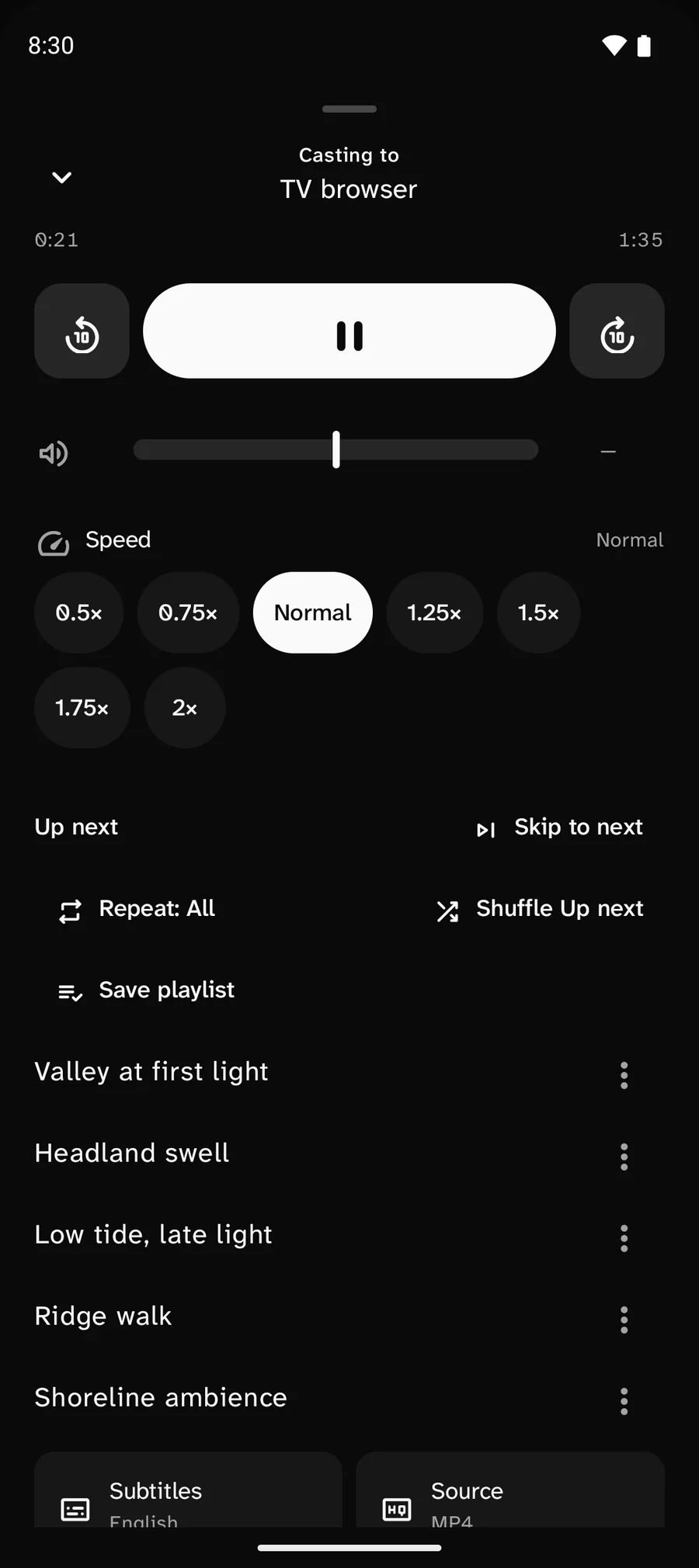
CastWay playback sheet at Up next: Skip to next, Repeat: All, Shuffle Up next, Save playlist and five queued items.

Up next

Queue up to 30 videos and songs. Reorder, repeat or shuffle.
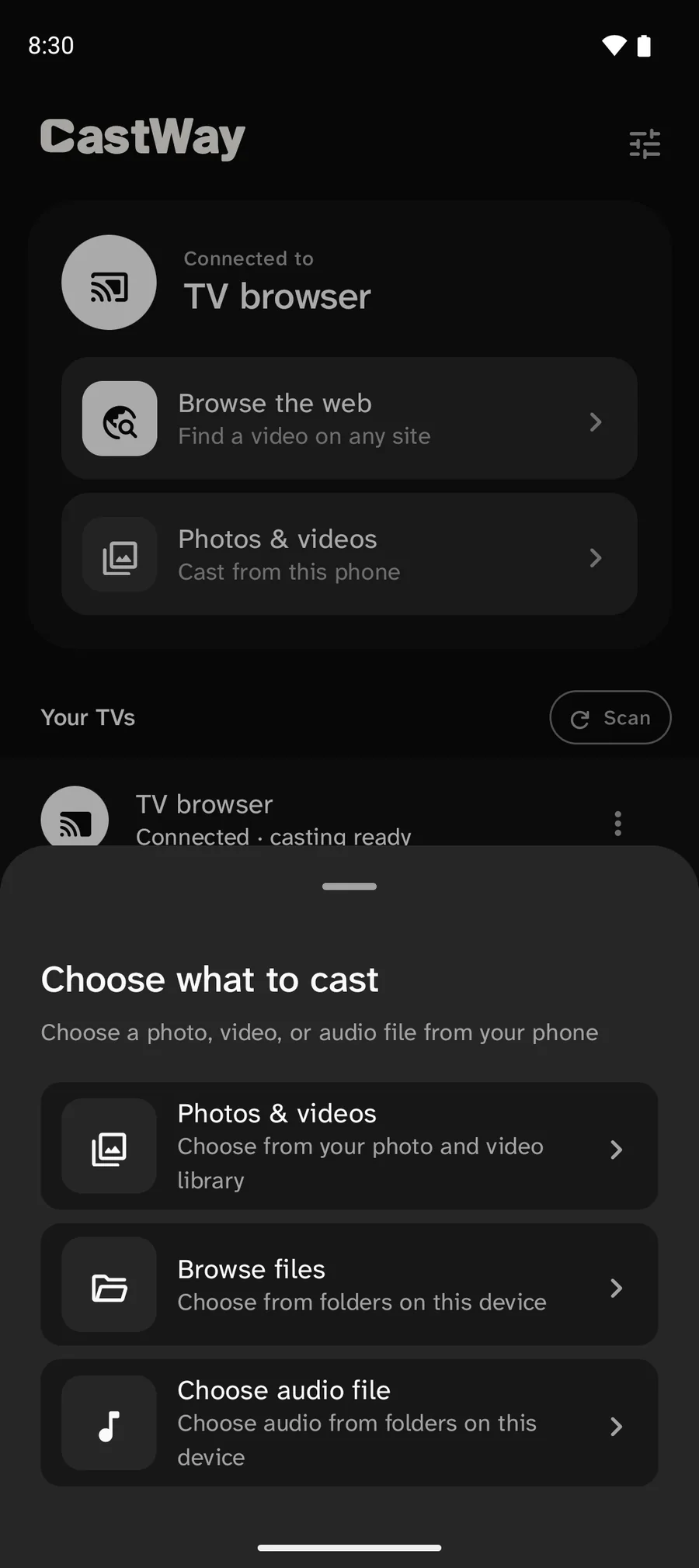
CastWay Choose what to cast sheet: Photos & videos, Browse files and Choose audio file.

Photos & music

Cast the photos, videos and audio you choose. Start a slideshow.
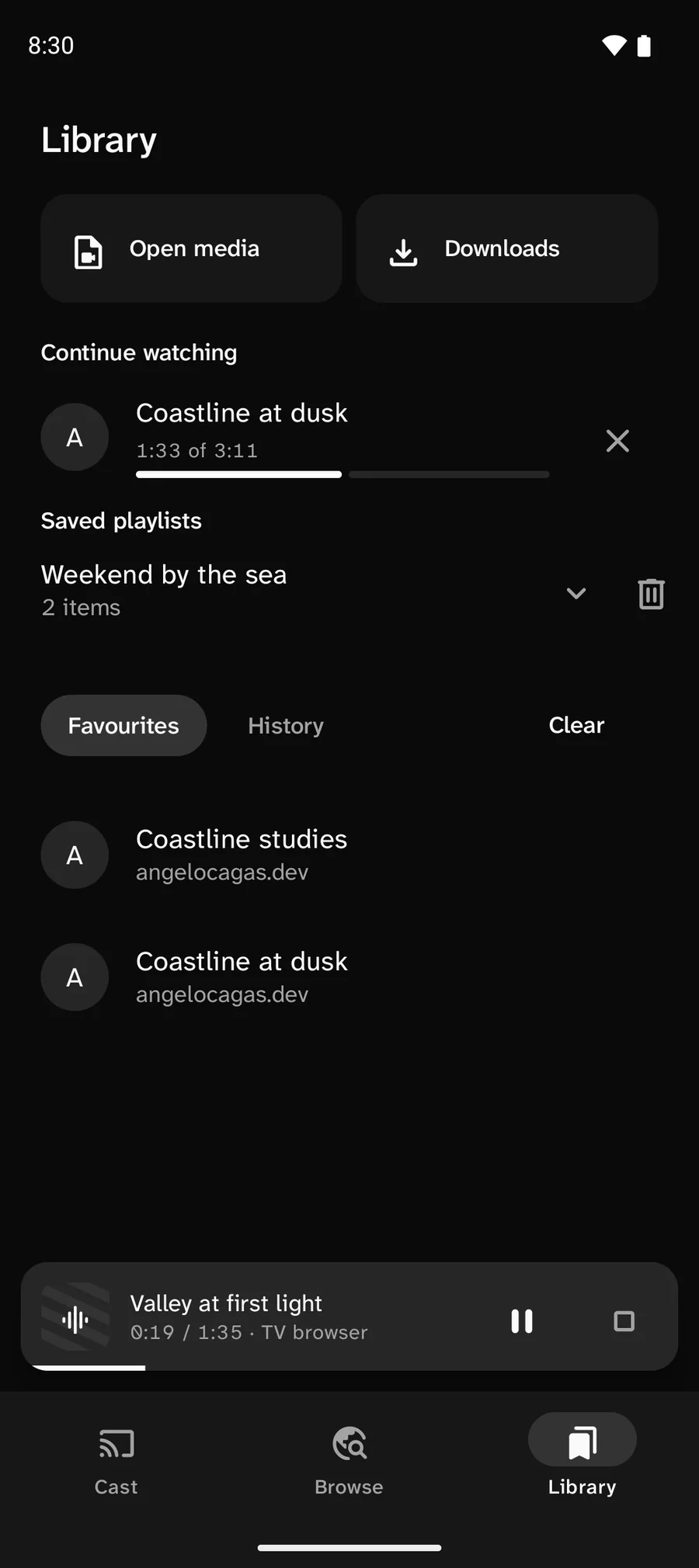
CastWay Library: Continue watching Coastline at dusk, the saved playlist Weekend by the sea with 2 items, and Favourites. A mini player shows Valley at first light on the TV browser.

Library

Favourites, history, Continue watching and saved playlists.

Also included

  • Downloads
  • Play on this phone
  • Private tabs
  • Android TV app

Your logins stay on your phone

Video passes through CastWay on your phone. Your TV gets the picture, never the site’s cookies, your passwords or the original stream address. CastWay has no account and no cloud server of its own.

Website
Your phone
Your TV
The website sends video, cookies and your login to CastWay on your phone. Your phone sends only the video on to your TV.

Good to know

What do I need?

An Android phone, and a TV with a modern web browser or the CastWay Android TV app, on the same Wi-Fi.

Which websites does it work with?

Sites that play their video in a standard way. CastWay spots it for you, and support varies by site. YouTube and DRM-protected video aren’t supported.

How is it different from screen mirroring?

Your TV plays the video itself, so your phone stays free for other things and its screen can even be off.

What’s included?

Every feature, with nothing to sign up for and no ads.

Can I cast my own photos and music?

Yes. Pick them through Android’s photo and file pickers. CastWay only sees what you choose.

What about subtitles?

Pick a track the page provides or add an SRT or WebVTT file. On TV browsers you can also change the size, colour and timing.
Sit back. It’s on.

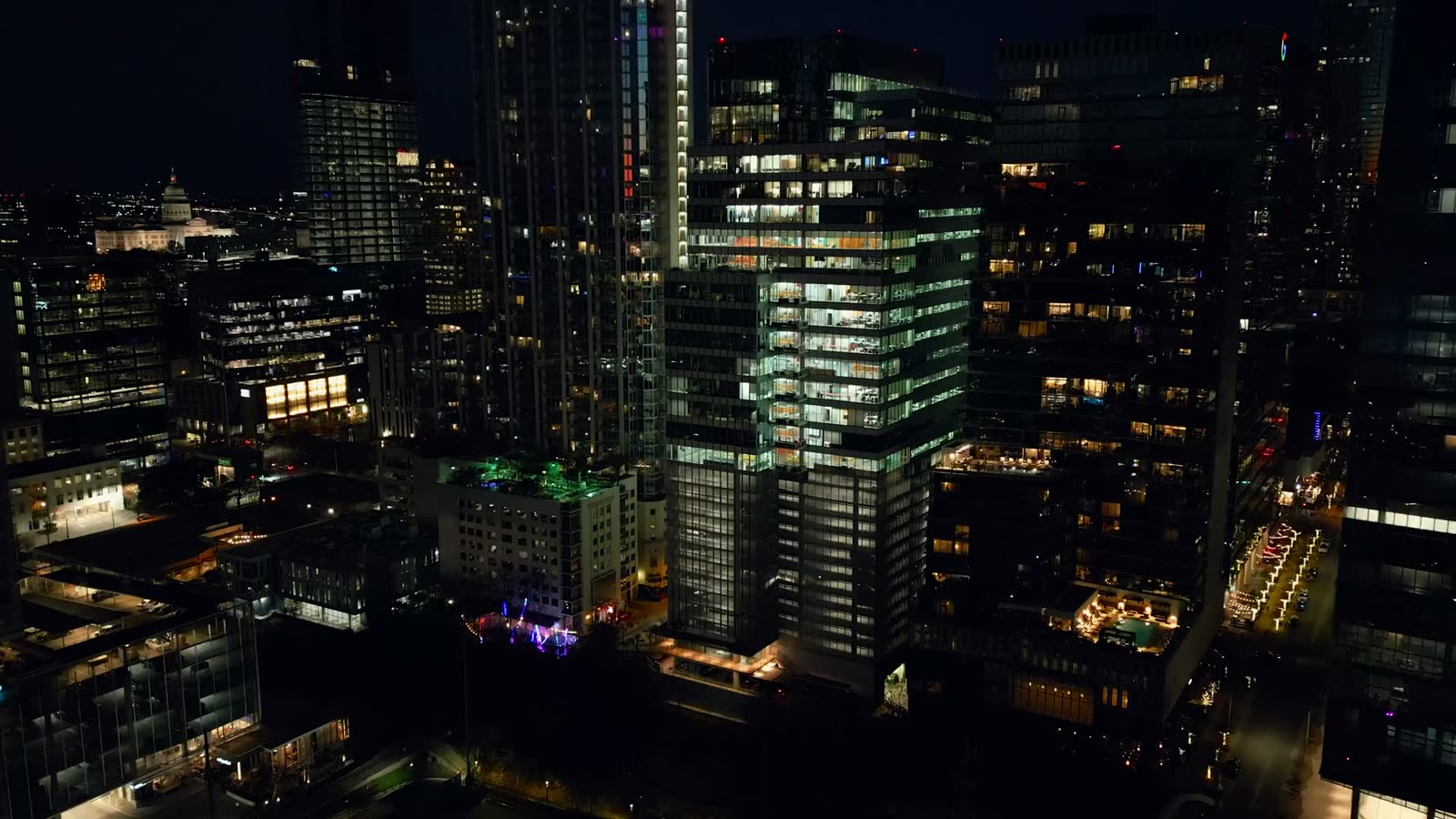
A city at night from the air: lit towers and busy streets.
Get CastWay

Available for Android phones. With an Android TV app.